Introducing Dress It V2: The Fashion AI Photography Studio
Dress It was rebuilt from scratch. V2 goes beyond virtual try on: generate AI models, create custom backgrounds and much more. Here's what changed

Guilherme Bernardo

TL;DR Dress It has evolved from simple virtual try-on to a complete AI product photography studio. You can now generate custom models, create photorealistic backgrounds, and produce full editorial photoshoots in minutes.
Over the past few months, I’ve been rebuilding Dress It from the ground up, and V2 is finally live.
While we started with virtual try-on, the new Dress It is a comprehensive solution for fashion e-commerce. It’s a full-stack AI photography studio designed to help brands create professional imagery at scale.
If your goal is to turn product images into high-converting editorial photos without the cost of traditional shoots, this update is for you.
What’s new in V2
Dress It V2 introduces a modular workflow centered around 4 core building blocks:
- AI Model Generation: Diverse, consistent models on demand.
- Background Generation: Any scene, anywhere, instantly.
- The Studio: A command center to build complete photoshoots.
- Text-Based Editing: AI editing that understands natural language.
Here is how the new workflow helps you scale your visual content.
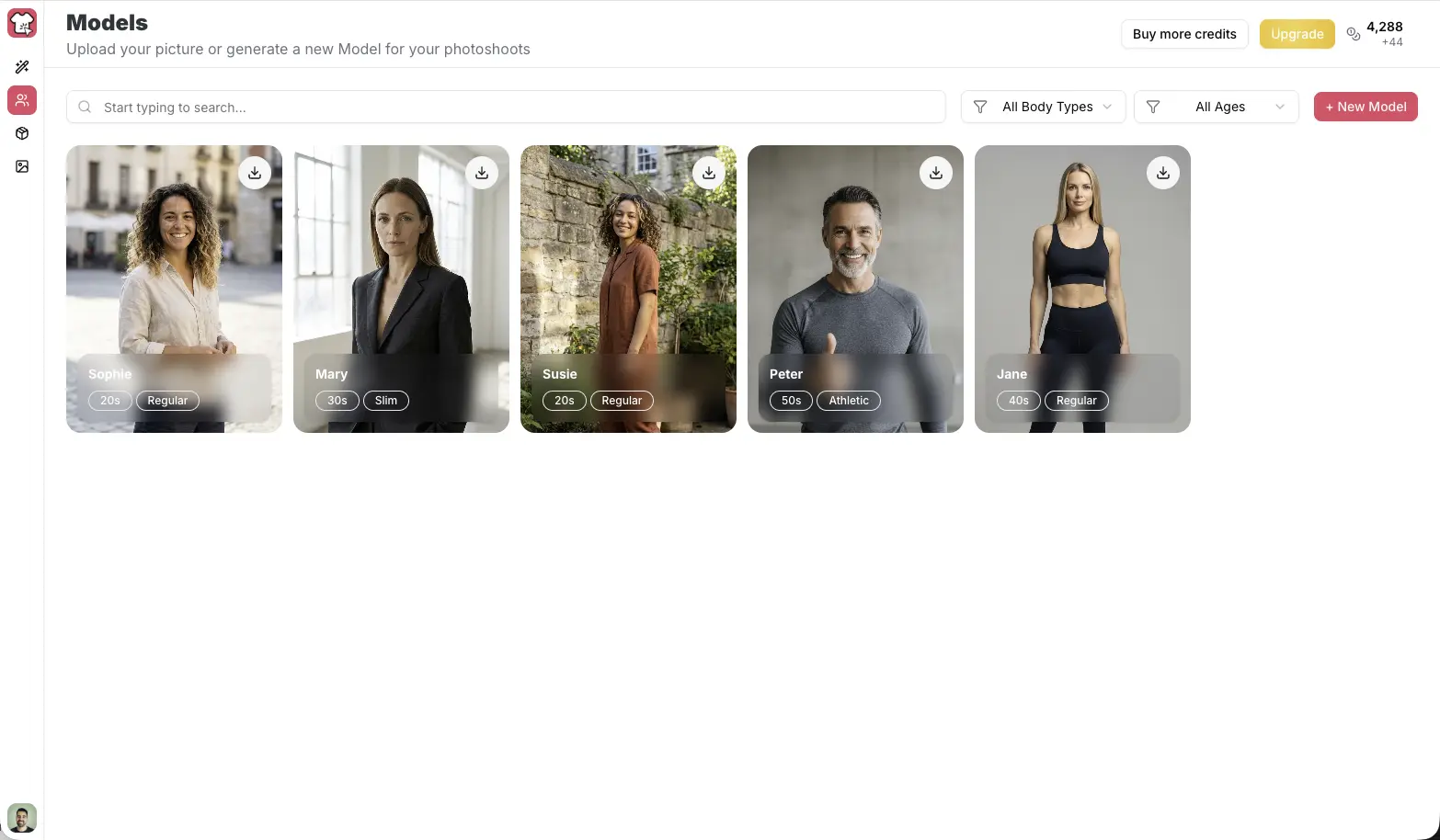
1) Generate custom models
Build a consistent cast for your brand
You can now generate photorealistic AI models by defining specific attributes—age, ethnicity, body type, and styling. The true power lies in consistency: once you create a model that fits your brand identity, you can save them and reuse them across future campaigns.
Best for:
- maintaining consistent branding across your catalog
- launching "new drops" faster
- showcasing diversity without increased casting costs
Explore AI Model Generation
2) Generate professional backgrounds
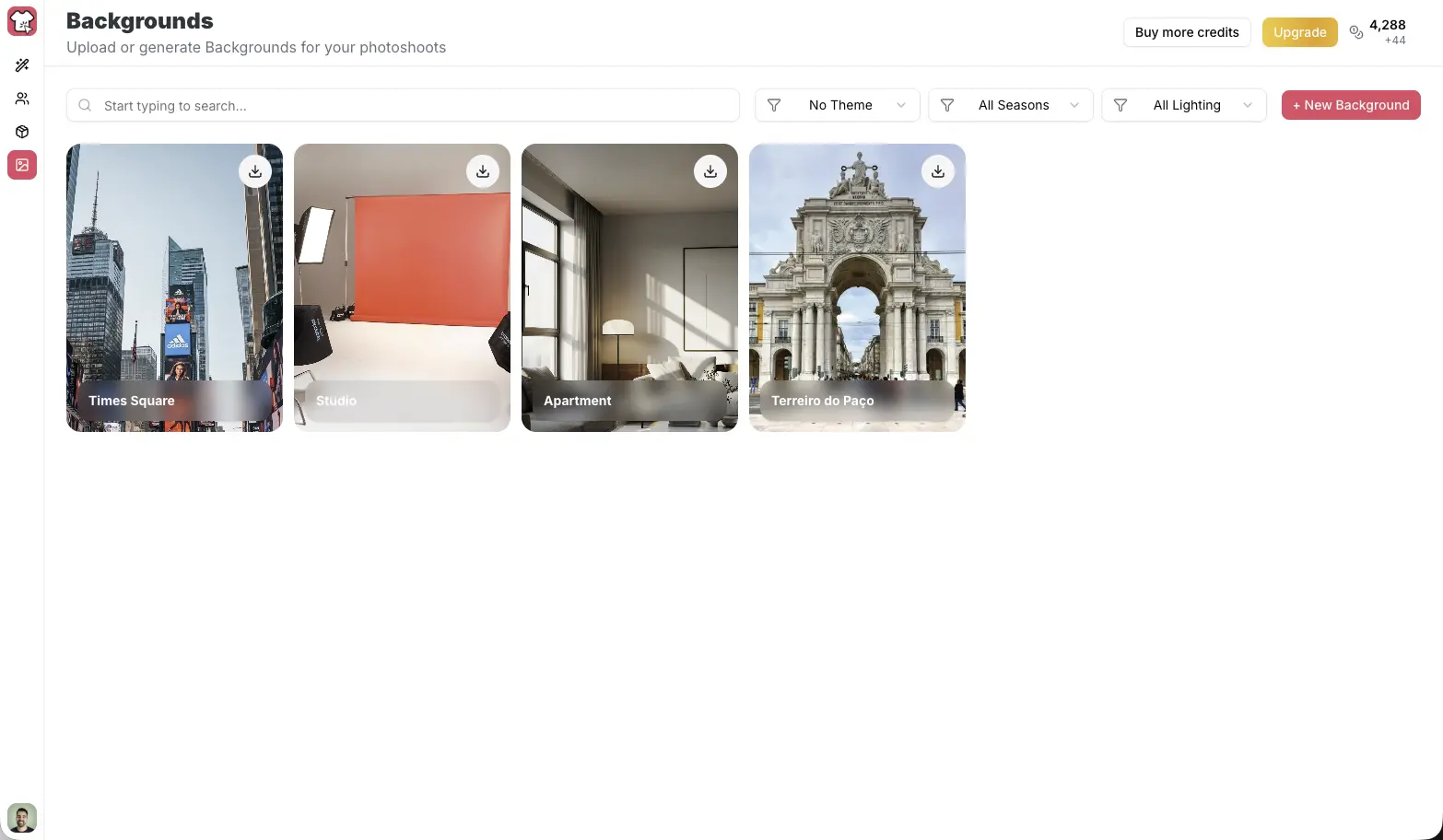
Any location, no travel required
Backgrounds are now a standalone asset. Describe the exact scene you need—from a minimalist concrete studio to a sun-drenched Mediterranean street—and Dress It generates high-resolution backdrops you can use repeatedly.
Best for:
- creating seasonal campaigns (e.g., Summer vs. Winter)
- testing different aesthetics for A/B testing
- eliminating location scouting and rental fees
Explore Background Generation
3) The Studio
Where your photoshoot happens
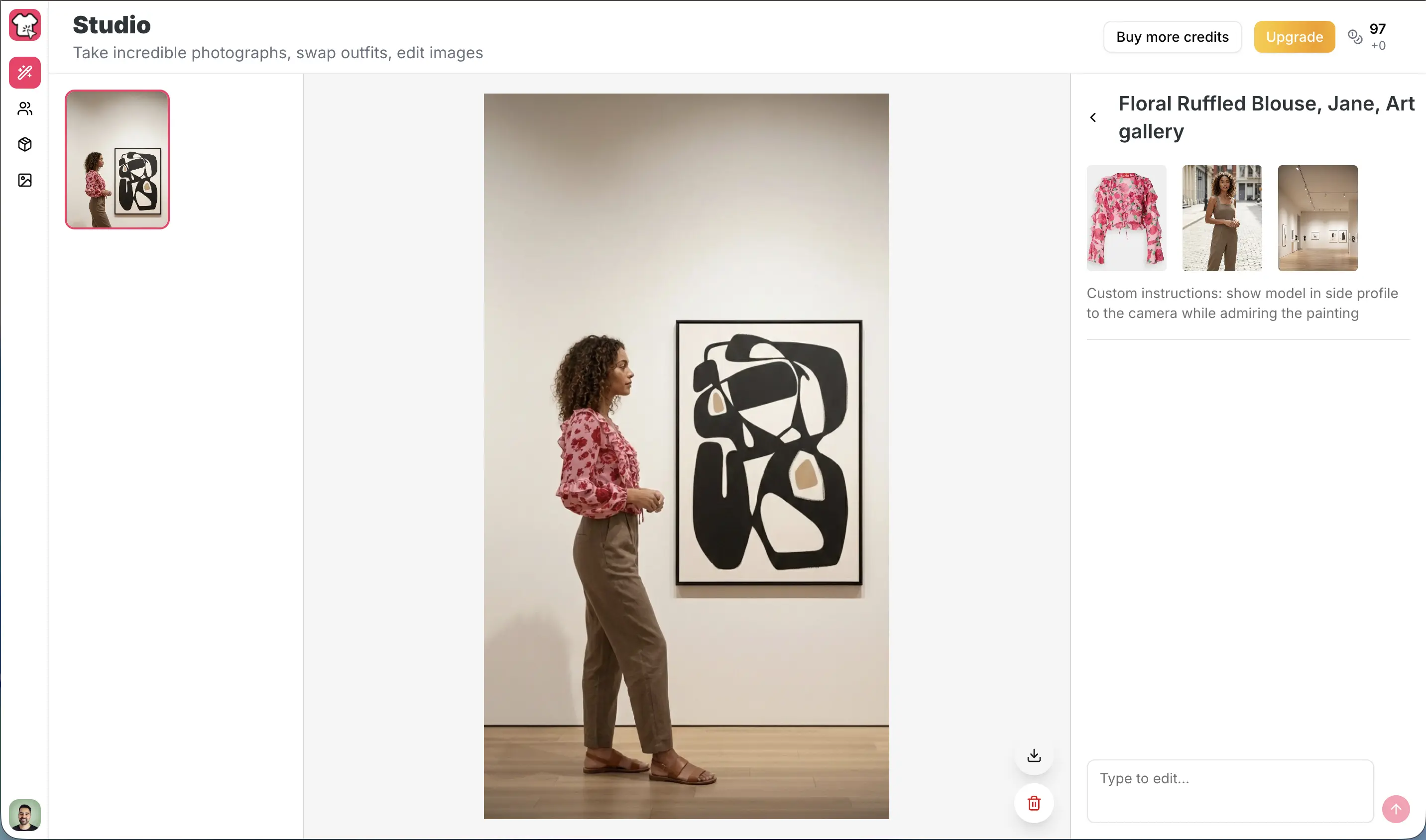
The Studio is the new heart of Dress It. It replaces the traditional photoshoot production line.
Simply select:
- Your product
- A saved model
- A generated background
In minutes, you get cohesive, editorial-quality images ready for your store or ads. This shifts the workflow from one-off generations to a system of reusable "ingredients" that scale with your business.
Explore The Studio
4) Edit with text
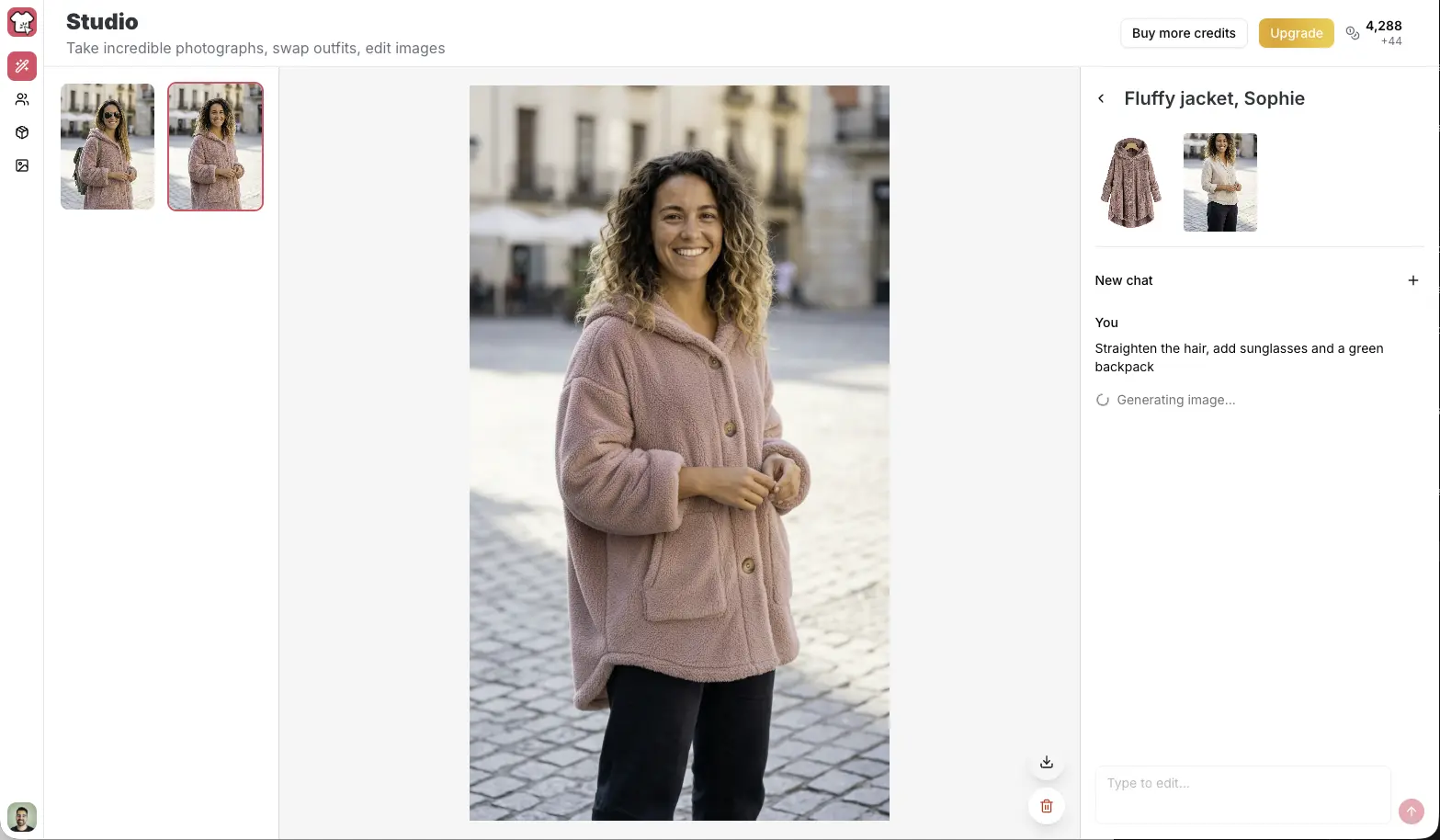
Fast fixes, no design skills needed
Perfection is in the details. Once you generate an image, you can refine it using simple chat instructions. No complex masking or "Photoshop brain" required—just describe what you want to change:
- "Make the lighting warmer"
- "Remove wrinkles from the shirt"
- "Blur the background slightly"
- "Center the model"
This feature is built for speed, allowing you to iterate rapidly and finalize assets without waiting on a design team.
Explore Text-Based Editing
A streamlined workflow for growth
For the best results, we recommend this loop:
- Upload your product flat lays or ghost mannequin shots.
- Create 1–3 models that represent your target customer.
- Generate a set of on-brand backgrounds.
- Combine them in the Studio to produce a batch of images.
- Refine with chat edits to polish the final output.
Flexible pricing. Whether you need a monthly subscription for high-volume production or prefer to top up credits as you go, we have options that fit your business needs.
What’s next
V2 is just the beginning. Now that the core Studio workflow is live, we’re focused on pushing the boundaries of what AI can do for fashion e-commerce:
- Higher Fidelity: continuously enhancing photorealism and fabric physics.
- Faster Workflows: accelerating generation speed so you can iterate in real-time.
- More Control: adding finer tools for styling, framing, and art direction.
We’re building Dress It to be the standard for modern fashion photography. Give it a spin and let us know what you think—your feedback shapes what we build next.
Continue Reading

AI Photoshoot Studio
Feb 15, 2026
0
0
How to Use Dress It AI Photoshoot Studio
Learn how to master the AI Photoshoot Studio in Dress It: step-by-step setup, model and background tips, and quick ways to create polished fashion photoshoots.


Image editing
Feb 23, 2026
0
0
Image Editing Mastery: Use Dress It AI to Edit Photos
Learn image editing with Dress It: step-by-step tips to edit with text, use AI edit tools, and create polished fashion photos quickly and confidently.

how to
Sep 19, 2025
2
0
Best Way to Know if Clothes Fit When Shopping Online
Know if clothes will fit before you buy. Learn measurements, size charts, fabric cues and try AI virtual try-on with Dress It to cut returns and shop smarter

tips
Sep 26, 2025
3
0
6 Reasons Why Your Wardrobe Feels Boring (And How to Fix It)
Wardrobe feel boring? Learn 6 fast fixes: mix-and-match, better fits, trend tests, use Dress It to shop smarter and love your outfits
Discussion
No comments yet. Be the first to share your thoughts!